Wedding Invitations
How Online Wedding RSVP Works: Guide for Indian Weddings
Learn how online wedding RSVP works for Indian weddings: give every guest a personal link, track replies live, and export your final headcount in one click.
By UTSAVY Team · · 11 min read
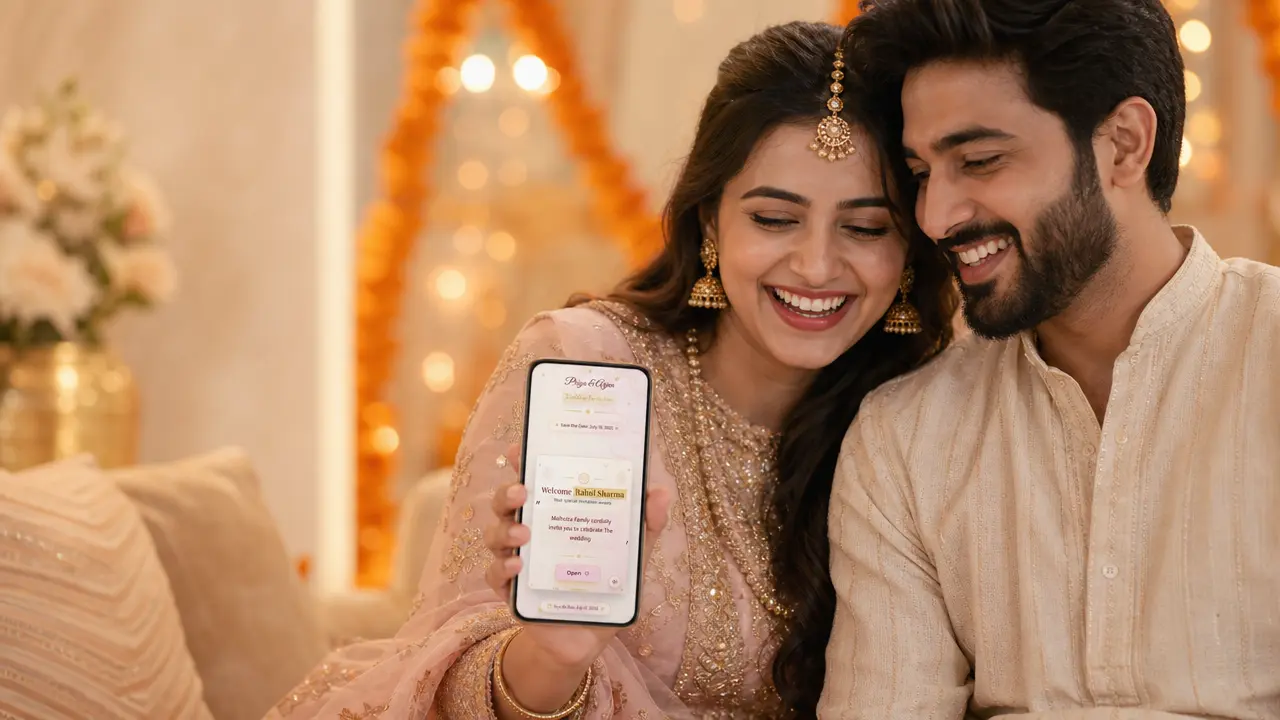
Four hundred cards are out. The wedding is three weeks away. And the one question your caterer, your decorator and your mother all keep asking — "kitne log aa rahe hain?" — still has no real answer.
If that feels familiar, you already understand the single biggest gap in Indian wedding planning. We obsess over how the invitation looks and almost never think about the part that actually decides the budget: getting a reliable headcount back. A paper card can't tell you who's coming. A WhatsApp group turns into 200 unread messages. And "RSVP karna please" at the bottom of a card mostly gets ignored.
This guide explains exactly how online wedding RSVP works — from the guest's first tap to your final, vendor-ready guest list — and why couples planning multi-event Indian weddings are quietly moving on from the card-and-chase method. No jargon, no pitch. Just how the modern version actually works.
What RSVP means (and why it breaks at Indian weddings)
RSVP stands for the French phrase "Répondez s'il vous plaît" — "please respond." When an invitation says RSVP, the host is simply asking you to confirm whether you'll attend, so they can plan food, seating and logistics for the right number of people.
Simple idea. But it was built for a one-evening Western dinner — one event, one yes-or-no. An Indian wedding is a completely different animal. A single wedding can run five, eight, even ten functions: mehendi, haldi, sangeet, the wedding, the reception, and more. Not every guest is invited to every event. Your college friends might come only to the sangeet and reception; close family attends everything. So a single "yes" tells you almost nothing — you need to know who is coming to which function, and how many people they're bringing.
And the headcount isn't a nice-to-have. It drives real money and real decisions:
- Catering — the per-plate cost is your single largest variable. Over-order and you've burned lakhs; under-order and you're short on the day.
- Seating and venue — table counts, chair counts and room allocation, per event.
- Hampers, welcome kits, room blocks — all sized to the number of confirmed guests.
This is why the old methods quietly fail. A paper card has no reply mechanism, so you call 300 relatives one by one. A WhatsApp broadcast gets buried, and the replies — "haan aa rahe hain," "shayad," "dekhte hain" — are impossible to compile into a clean number. The friction isn't the tradition. The friction is in collecting the answer. That's the exact problem online RSVP removes.
How online wedding RSVP works, step by step
Here's what a well-built online RSVP looks like from your guest's side — using the way Utsavy handles it as a working example. The whole point is that the guest does as little as possible.
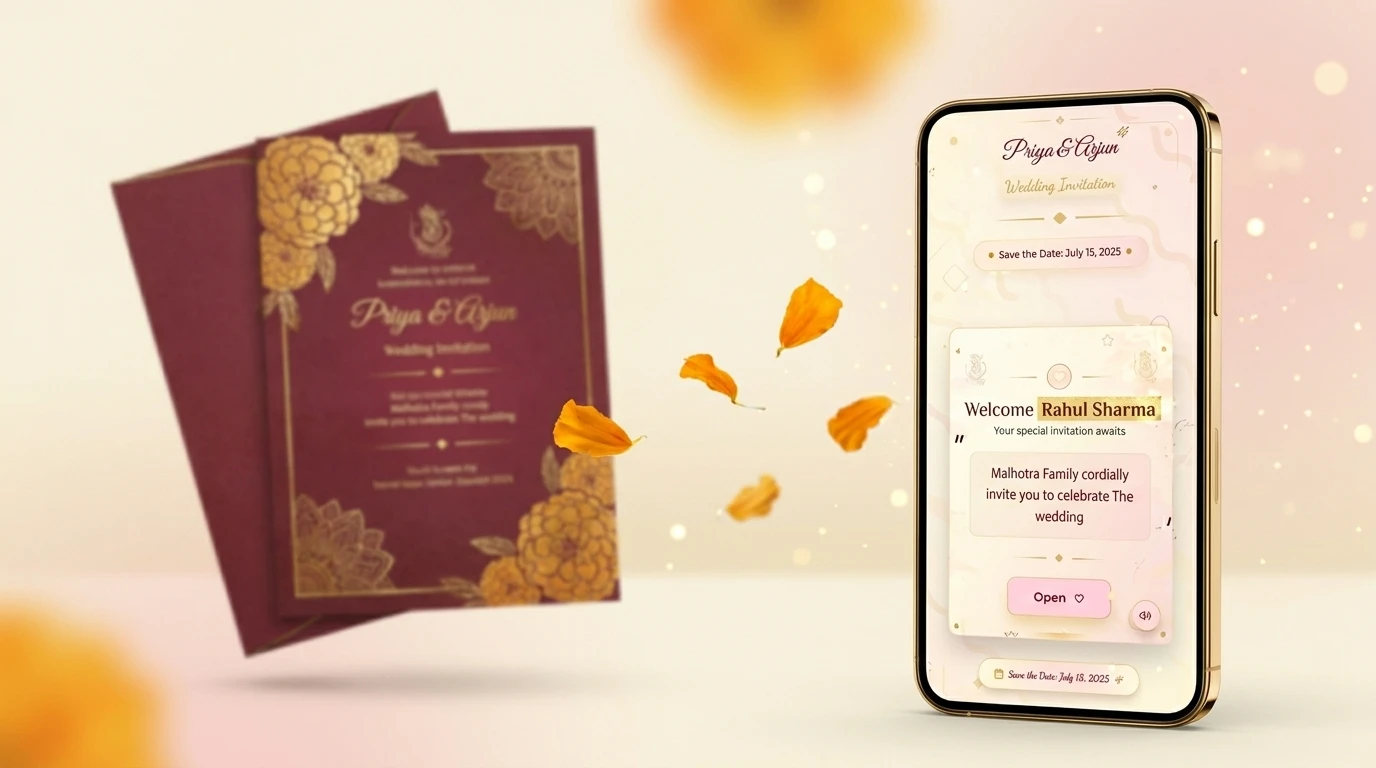
- Each guest gets their own personal invitation link. Instead of one generic page for everyone, every guest receives a unique URL — with their own name already on the invitation. You share it however you like: WhatsApp, SMS, or a QR code printed on your physical card. No app to download, no account, no password.
- They open it and see only their events. Because the link is theirs, the page shows only the functions that guest is actually invited to. Nobody sees an event they weren't invited to — so there are no awkward "why wasn't I called for the mehendi?" moments.
- They tap "Accept Invitation." One tap confirms they're coming. For guests you just need a yes from, that's the entire interaction. The moment they tap, their status updates on your end in real time.
- If you need details, they fill a short form. For close family and others where you need more, you can collect extra information after they accept: number of people coming, expected arrival time, and meal preference (Veg / Jain / Non-Veg). You choose which questions to ask; the guest just fills them in.
- They never type their name. Because the link already knows who they are, guests don't enter their name or hunt for themselves in a list. This removes the most common cause of messy data — misspelt names, duplicate entries, two cousins with the same name answering each other's invite.
- They can edit anytime. Plans change. If a guest first said two people and now it's four, they reopen their link and tap Edit RSVP. Their earlier answer is simply updated — it doesn't create a second, conflicting entry. One guest, one clean record, always.
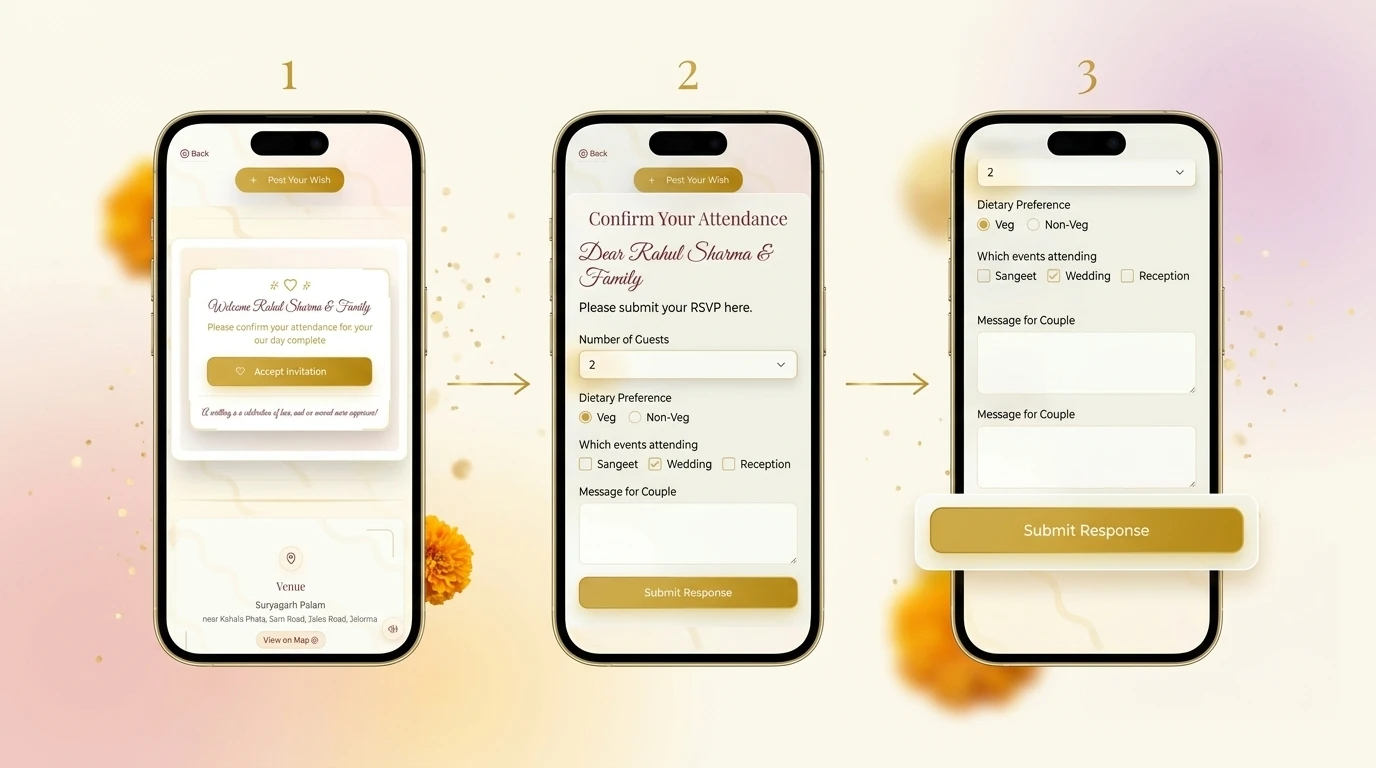
Why "their own link" matters more than it sounds: when every guest responds through their personal link, answers can't get cross-filed, and you don't end up with duplicate or anonymous "someone said yes" entries to untangle later. Each response is automatically tied to the right guest — which is what turns a pile of replies into a clean, exportable list.
The usual way vs. the online way
Put the two side by side and the difference stops being about technology — it becomes about how much of your wedding you spend chasing numbers.
| What you need | Card + WhatsApp way | Online RSVP |
|---|---|---|
| Getting a reply | You call each guest individually | One tap on their own link |
| Headcount accuracy | Guesswork from scattered chats | Exact, live, per guest |
| Per-event tracking | Nearly impossible to separate | Separate count for each function |
| Changes & edits | A new message, easy to lose | Guest edits; record auto-updates |
| Handing data to vendors | Re-typed into a sheet by hand | One-click PDF / Excel / CSV |
What separates a good RSVP system from a bad one
Not all online RSVP tools are built the same. If you're comparing options, these six things decide whether the experience feels effortless or annoying — for both your guests and you. Treat it as your checklist.
1. Zero friction for the guest
The more steps between a guest and "done," the more people drop off. No app, no sign-up, no name-typing, no scrolling a list to find themselves. The best systems make responding a single tap.
2. One guest, one record — no duplicates
If a guest can accidentally submit twice, or respond for someone else, your final list becomes guesswork. A clean system ties each response to one guest and lets them edit rather than re-submit.
3. Per-guest events, not one-size-fits-all
For Indian weddings this is non-negotiable. The system should let you invite each guest to specific functions, and show each guest only their own events.
4. Live tracking, not a static form
A good RSVP doesn't just collect answers — it shows you, in real time, exactly where every guest stands, so you know who still needs a nudge.
5. Data you can actually hand to vendors
Your caterer doesn't want a screenshot. The system should export a clean, structured guest list — PDF, Excel or CSV — that you can hand over directly.
6. It still feels like your invitation
The RSVP shouldn't look like a plain form bolted onto a beautiful card. It should sit inside the invitation itself — same design, same warmth — so the premium feel carries all the way through.
💡 UTSAVY Tip: With per-guest links, you can run simple RSVP (one-tap accept) for colleagues and detailed RSVP (headcount + meal preference) for close family — in the same wedding. See it free →
The host side: where online RSVP is actually won
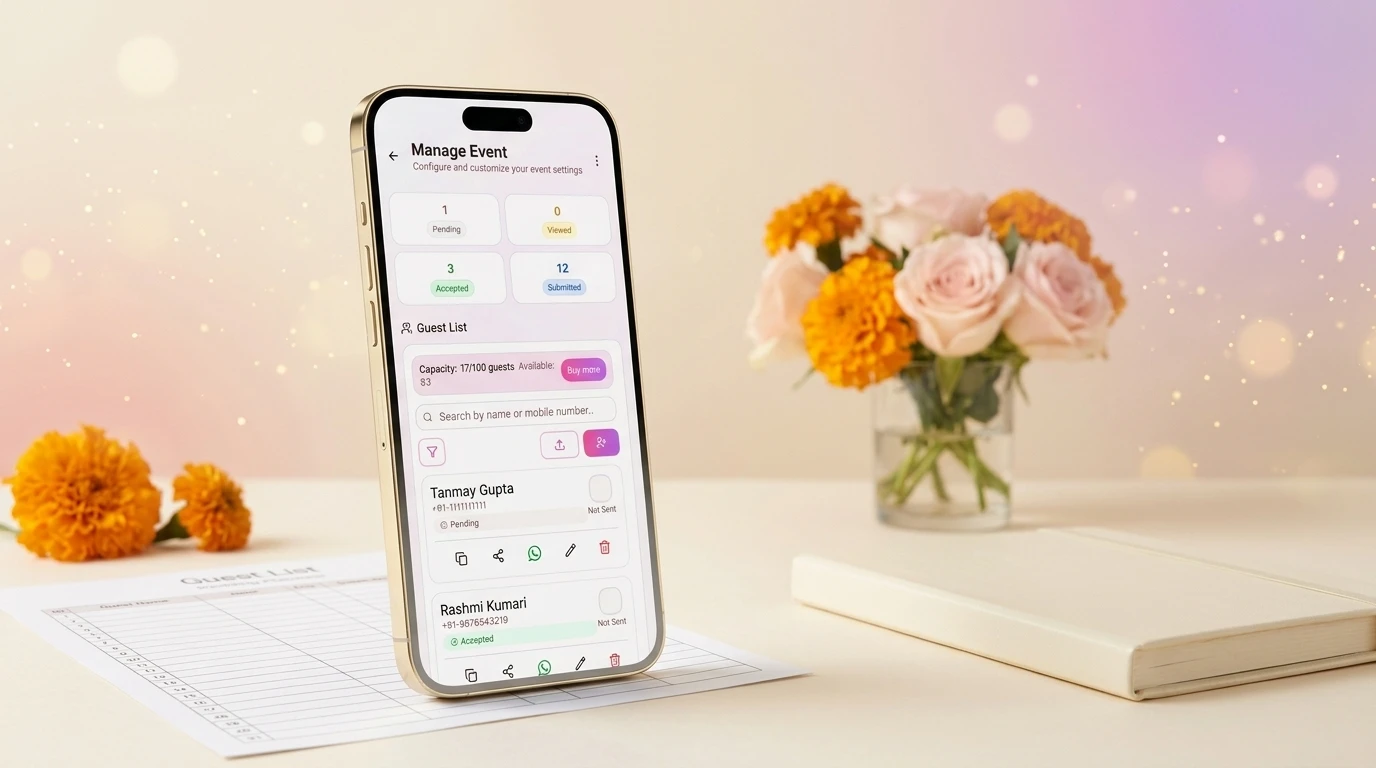
For guests, online RSVP is about fewer taps. For you — the host — the real magic is on the dashboard, because this is where 300 scattered replies become one organised, decision-ready list. Here's what that looks like with Utsavy.
Live status for every single guest
Instead of wondering who's responded, you see each guest's exact stage update in real time:
Pending Viewed Accepted Submitted
| Status | What it tells you | What you do |
|---|---|---|
| Pending | Sent, but not yet opened | Your follow-up list |
| Viewed | Opened, but hasn't responded | A gentle nudge usually works |
| Accepted | Confirmed they're coming | Counted in your total |
| Submitted | Filled headcount, time, meal | Ready for your caterer |
That single view replaces the entire "let me call and check who's coming" exercise. You see who still needs a reminder — instead of chasing all 400 people equally.
One-click export — PDF, Excel and CSV
When it's time to brief your caterer or planner, you don't take screenshots. From the dashboard you download your complete RSVP data instantly as a beautifully formatted PDF, an Excel (XLSX) sheet, or a CSV file — whichever your vendor prefers. Headcounts, meal preferences and arrival times, already organised. The PDF is presentation-ready; the Excel and CSV drop straight into the sheet your planner already uses.
Give your vendors their own live view
Here's the part most couples don't realise they need until the week of the wedding: you can give your vendors access to the RSVP tab directly. Your caterer or wedding planner can watch the numbers update live and plan accordingly — without you becoming the messenger who forwards an updated count five times a day. Everyone works off the same live source of truth.
"I'd actually put together a small team just to collect and manage the RSVPs for the wedding. With Utsavy, they had nothing to do — everything was maintained automatically and beautifully in one place."
— Neelav Beria, West Bengal · sent 550+ invitations through Utsavy for his May 2026 wedding
Guest-wise RSVP for multi-event weddings
This is the piece built specifically for Indian weddings, and it's worth understanding clearly. Because every guest has their own link, you control which events each guest is invited to — and their invitation automatically shows only those.
- A 10-event wedding? One guest sees the six functions they're invited to; another sees all ten.
- Close family gets the full celebration. Wider circles see only the bigger events like the wedding and reception.
- Guests never see what they weren't invited to — so there's no visible exclusion, and no uncomfortable questions.
And because RSVP is tracked per event, you get a separate, accurate headcount for the mehendi, the sangeet, the wedding and the reception — instead of one blurry total. That's the difference between ordering food confidently and ordering on a prayer.
Rolling it out without leaving anyone behind
The most common worry we hear is about elders — "digital toh theek hai, par buaji ko samajh aayega?" It's a fair question, and the honest answer is that you plan for it rather than avoid the whole system for it. A few practical tips that work at real Indian weddings:
- Print a QR code on your physical card. Many families still want a tangible card to hand over in person — especially to elders. A small QR code that opens the digital invitation gives you both: the keepsake and the trackable reply.
- Make one person the "RSVP helper" per family. For relatives who aren't comfortable on a phone, a younger cousin can open their link and tap accept on their behalf. The link is theirs, so the record still lands in the right place.
- Send the link on WhatsApp with one line of context. A short, warm message — "Aapke liye humne yeh banaya hai, ek tap mein confirm kar dijiye" — gets far better response than a bare link.
- Use the Viewed status to time your reminders. If someone has opened the invite but not responded, a single follow-up usually closes it — no need to call everyone.
Done this way, the technology stays invisible and the experience stays warm. Guests feel personally invited, not processed — and you get a clean headcount without a single awkward phone call.
Beyond weddings: built for every Indian celebration
Weddings are where the guest-management problem is hardest — which is why we've focused this guide there. But the same system works for any celebration where you need a clean headcount and a personal touch: a milestone birthday, a wedding anniversary, a baby shower, or a griha pravesh ceremony. Personal links, one-tap RSVP, live tracking and instant exports work exactly the same way, whatever you're celebrating. If you can invite people to it, you can run its RSVP this way.

✨ Stop guessing your guest count
Create a personalized wedding invitation website your guests will love — and let the RSVPs organise themselves.
- Per-Guest Personal Links — every guest sees their own name and events
- One-Tap RSVP & Live Tracking — Pending, Viewed, Accepted, Submitted
- One-Click Exports — hand your caterer a clean PDF, Excel or CSV
- Vendor Access — let your planner watch the numbers live